Power and charging
Power controls and indicator lights for Mini and Lite.
Mini and Lite 2 charge differently. Find your model below and follow its instructions.
Mini 2T/Mini 2/Mini 2 Pro
Power on
Remove the Tracker from its charging dock and it turns on automatically. Connect the receiver, open SlimeVR and check that it appears connected before putting it on.
Power off
Choose either method after your session:
- Press the receiver button nearest Type-C once to turn off all Trackers.
- Open Dawn Tracker Tools, select Receiver and use “Power off all.”
The receiver must stay powered to send the command. If its button does not respond, reconnect it or use the tool.
Charge
- Place the Trackers back on the dock.
- Check that each sits straight with its contacts touching.
- Connect power to the dock.
Keep the contacts clean and dry, and check that Trackers are not sitting at an angle.
Lite 2
With the Type-C port facing down, use the left-hand button:
- Power on: Press once.
- Power off: Hold for around 1.5 seconds.
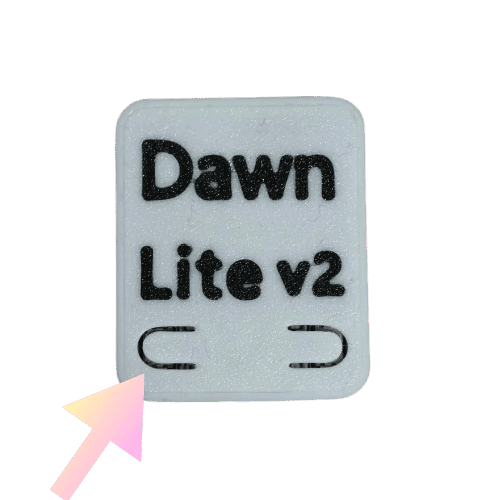
Lite 2 charges directly through Type-C. A 1-to-6 / 1-to-10 charging cable is included; a charging base is available separately.
Green light: charging
| Green light | Meaning |
|---|---|
| On | Charging |
| Off | Fully charged, or not currently charging |
An unlit green light does not always mean full
Check the cable and charging contacts first. The green light is also off when charging is not connected.
Red light: operating status
When not charging, use the patterns below:
| Red light | Meaning |
|---|---|
| Very short flash | Normal operation or waking from movement |
| One long flash per second | Low battery; please charge |
| Off | Sleeping or battery empty; check battery and connection |
| One short flash per second | Pairing mode |
| Gradually brightens and fades | Firmware update mode |
| Two long flashes every 5 seconds | Sensor error |
| Three long flashes every 5 seconds | Connection error |
| Four long flashes every 5 seconds | Hardware error |
Compare red-light patterns with the SlimeVR Smol LED guide. For charging, use the green light described above.
If an error pattern repeats, record the blinking and contact us.
How long does the battery last?
| Model | Reference battery life |
|---|---|
| Lite 2 | Approx. 20 hours |
| Mini 2T | Approx. 50 hours |
| Mini 2 | Approx. 35 hours with magnetometer on/50 hours off |
| Mini 2 Pro | Approx. 42 hours with magnetometer on/50 hours off |
Plan charging around your sessions. Actual battery life varies with use.
Charging tips
- Use a computer USB port or a reputable, standards-compliant power supply.
- Check contacts and ports for debris before docking or plugging in.
- If you notice unusual heat, swelling or an odor, stop charging and contact us.
Still unable to use your Tracker after charging? See Power or charging problems.