Wearing positions
Assign your Trackers and wear them securely for natural movement.
Straps do not need to be very tight. Aim for comfortable, secure positioning that does not slip when you move. Assign each Tracker first, then walk, bend your knees or lift a leg to check the fit.
Check your set
| Set | Suggested body parts |
|---|---|
| 6-point | Chest, waist/hip, left thigh, right thigh, left lower leg/ankle, right lower leg/ankle |
| 8-point (arms) | 6-point + both upper arms |
| 8-point (feet) | 6-point + both feet |
| 10-point | 6-point + both upper arms + both feet |
In VR, the headset usually tracks your head and controllers track your hands. Lower legs/ankles and feet are different assignments—select them separately.
Assigning body parts
- Select a body part in SlimeVR's tracker assignment screen.
- Tap/double-tap the corresponding Tracker.
- If you cannot identify it, gently move just that Tracker and look for the highlighted device.
Use body-part stickers or other labels so each Tracker goes back to the right place next time.
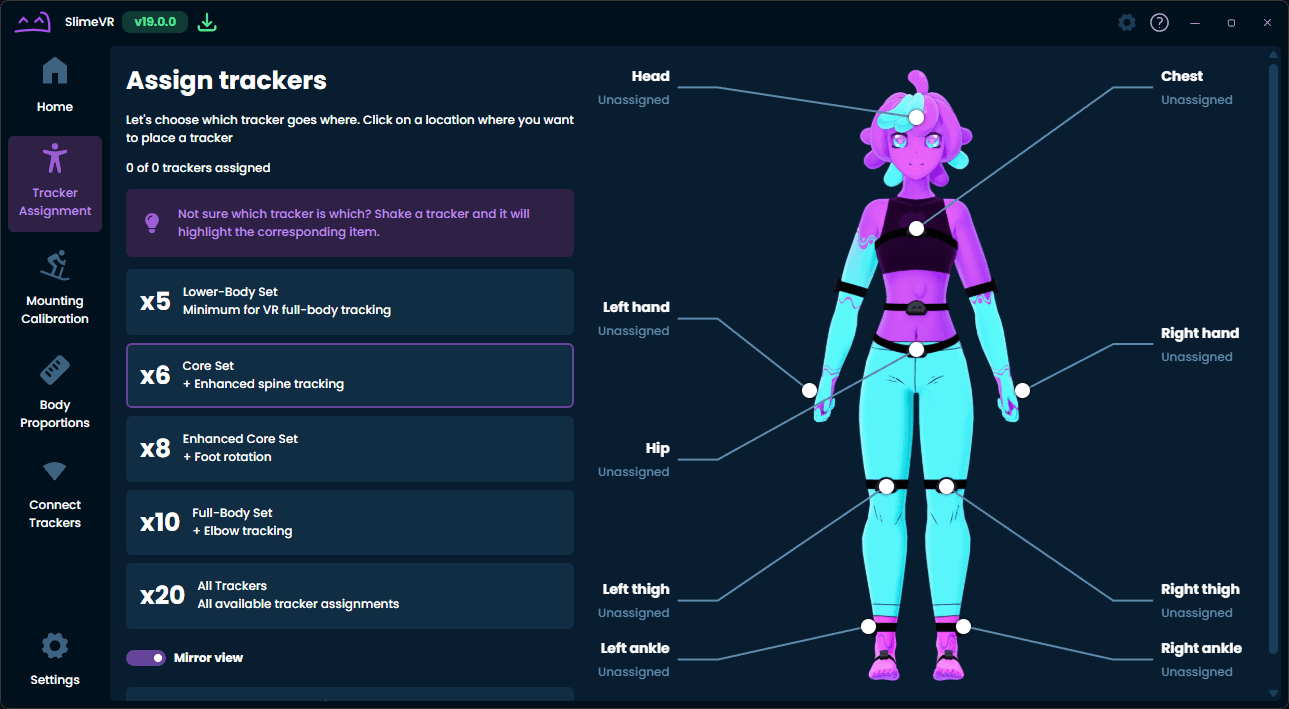
Where should I wear them?
| Body part | Suggested position | Tip |
|---|---|---|
| Chest | Front of your chest | Keep it close to your body; avoid loose clothing swinging it around |
| Waist/hip | Front or back of your waist, or a stable hip position | Sit down to check that it does not slip |
| Thigh | Front or outer-front | Avoid placing it too close to the knee; match left and right heights |
| Lower leg/ankle | Front or side | Match left and right heights and check stability while walking |
| Foot | Top or side of the foot | Secure it so it does not rotate while walking |
| Upper arm | Outer or outer-front | Check that it stays in place when raising and lowering your arm |
For Mini, we recommend keeping the charging connector facing left.
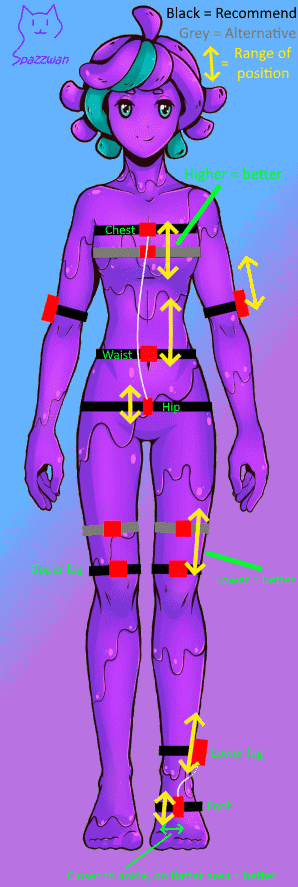
Front, back or side placement can be chosen for comfort. Select the same mounting direction in SlimeVR. For example, if you wear a Tracker on the side, choose side mounting rather than leaving it set to front.
Adjusting straps
Tighten them enough to prevent slipping without discomfort. Choose a stable position; if wearing over clothing, use close-fitting clothing.
See the demonstration video for the quick-release clips. Give each fastened clip a gentle tug to check it before moving.
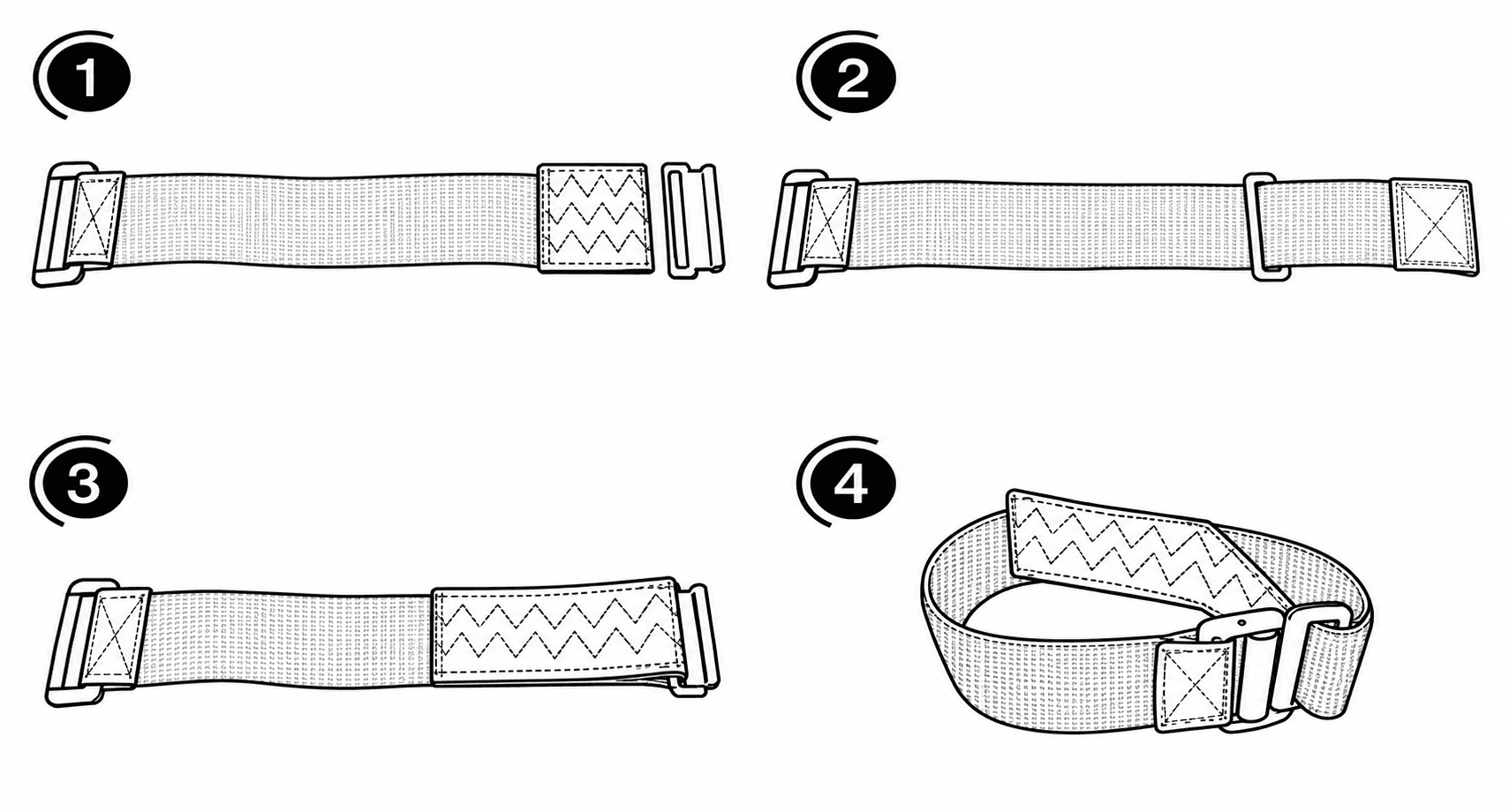
Reset after putting them on
Once assigned and worn, perform a Full Reset, then a Mounting Reset. If you have foot Trackers, also do a Foot Mounting Reset.
After moving a Tracker or adjusting its strap, repeat the Mounting Reset to realign it. See Body proportions and calibration for the poses.